
Side Hustle Success: Is Your Connex Laptop the Secret Ingredient? 🚀

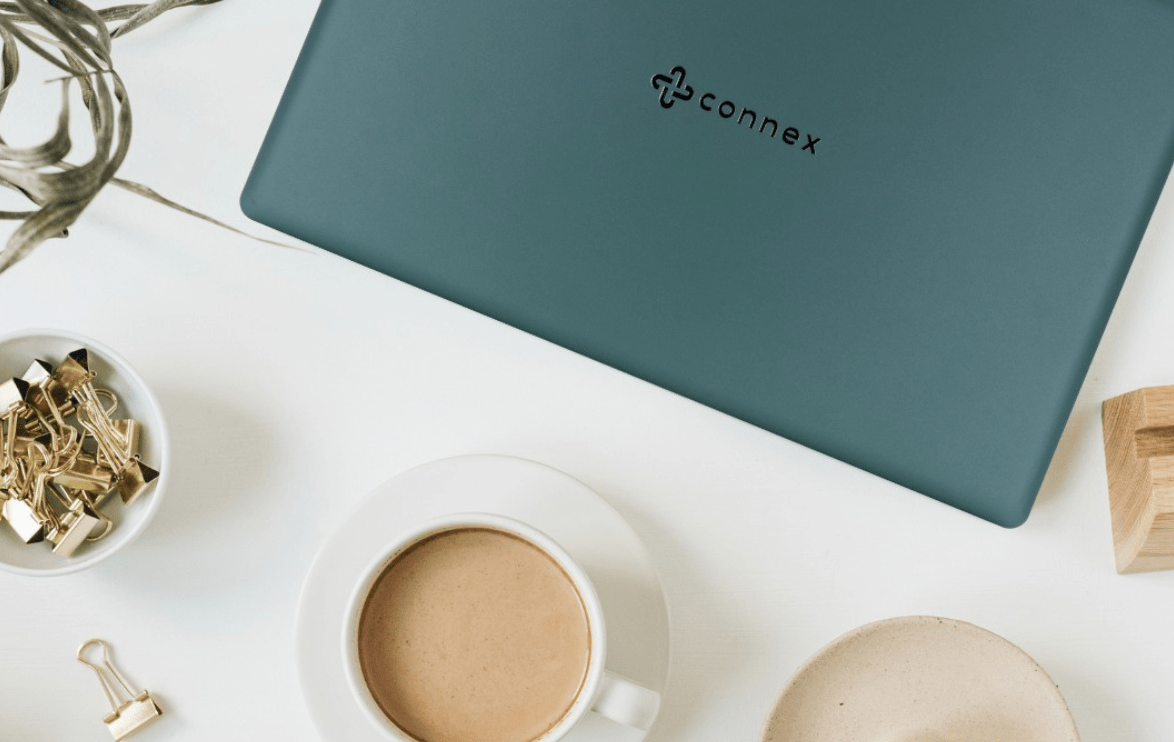
So… It’s 7 PM. You have just completed a long day at work, but instead of going to lay on the couch and binging your favourite Netflix series, you decide to open your Connex laptop, grab a cup of rooibos tea, and work on your side hustle. Maybe you do freelance graphic designing, run an online drop shipping store, or writing the next great book. Whatever your hustle is, the possibilities are endless when you have the right tech by your side.

Now, you might be thinking, what makes a Connex laptop so special for side hustlers like you? Let’s take a closer look at how this affordable powerhouse can take your dream from just an idea to your next big win.


1. Built for Multitasking: Hustlers Have No Time to Waste

When you are busy balancing your full-time job, personal life, and that growing side hustle, multitasking becomes second nature. Luckily, Connex laptops are built to keep up with you. Switch between designing a website, managing social media marketing, and running Google searches, all without those irritating freezing screens.

Thanks to their processing power, you won’t have to sit through buffering moments, watching the spinning wheel of doom. You’ve got too much to do and no time to waste!


2. Portable and Lightweight: Hustle On-the-Go

Do you dream of working from your favourite local coffee shop or at home while you wait for your kid’s music class to finish? With its sleek, lightweight design, the Connex laptop is easy to carry wherever your hustle takes you.

Imagine typing out business ideas in the morning, replying to customer queries during lunch, and designing your brand logo at night, all from different spots. No need to be tied to an office (where it is sometimes challenging to get work done with all the distractions). With a Connex laptop, your workspace is wherever you want it to be.


3. Budget-Friendly, So You Can Invest More in Your Business

Starting a side hustle shouldn’t cost you an arm and a leg. Connex understands that you need affordable tech that doesn’t sacrifice overall quality. Whether you’re starting an online tutoring business or becoming a digital content creator, you’ll have extra cash to invest in tools, marketing, and products instead of splurging on expensive laptops.


4. Stay Connected, Collaborate, and Build Your Network

Every side hustle benefits from collaboration every now and then, whether you’re working with a graphic designer in Cape Town, a client in London, or a supplier in China. With easy-peasy Wi-Fi connectivity, your Connex laptop ensures that you can jump on virtual meetings, reply to emails, and keep up with your team or customers without breaking a sweat.


5. Battery Life: The Grind Doesn’t Stop

Ever had an idea strike you in the middle of the night, but your laptop battery is flat? You won’t have that problem with Connex laptops. With good battery life, you can keep hustling, brainstorming, and creating without interruptions. No frantically searching for a plug halfway through writing a proposal. Tip: Keep your laptop charged overnight, and you’ll be ready to conquer the day.


6. Tools That Adapt to Your Hustle

Your Connex laptop isn’t just a device, it’s basically your digital Swiss army knife. Need to run Excel sheets for budgeting your online store? Done. Writing scripts for your YouTube channel? Easy. Designing T-shirt mock-ups for your online shop? Sorted.

No matter the hustle, Connex laptops offer versatility and power in one affordable package. And if you ever feel stuck or overwhelmed, just remember: the biggest businesses in the world started with a simple idea and a laptop and willingness.


7. Focus Mode On: Eliminate Distractions and Get Things Done

Distractions are everywhere. Busy spaces, social media notifications, random cat videos, or that tempting WhatsApp chat can easily steal your focus. But the right laptop makes it easy to eliminate distractions. Create designated “work” profiles, use productivity apps, and make sure when you sit down at your Connex laptop, you’re in hustle mode, Or try out the pomodoro technique:


Ready to Take the Leap?

Your side hustle isn’t just a dream, it’s the key to financial independence, personal growth, creativity and confidence. With a budget-friendly Connex laptop, you’ve got the perfect partner to help you build that brand, sell that product, create that content or whatever you want to build.

🌟 Your Turn: What’s your current side hustle, or what side hustle are you thinking about starting? Drop your ideas in the comments and inspire others to get started on their journey!

Shequila Adams | Digital Marketer

Smart, Sleek, and Practical: The Connex Laptop Story

When you think about laptops, you probably imagine something functional, right? Something that can help you finish your work, stream your favourite series, or save you during those last-minute Zoom meetings. But, what if I told you that laptops can be all that and more, without breaking the bank? Enter the chat: Connex Laptops.

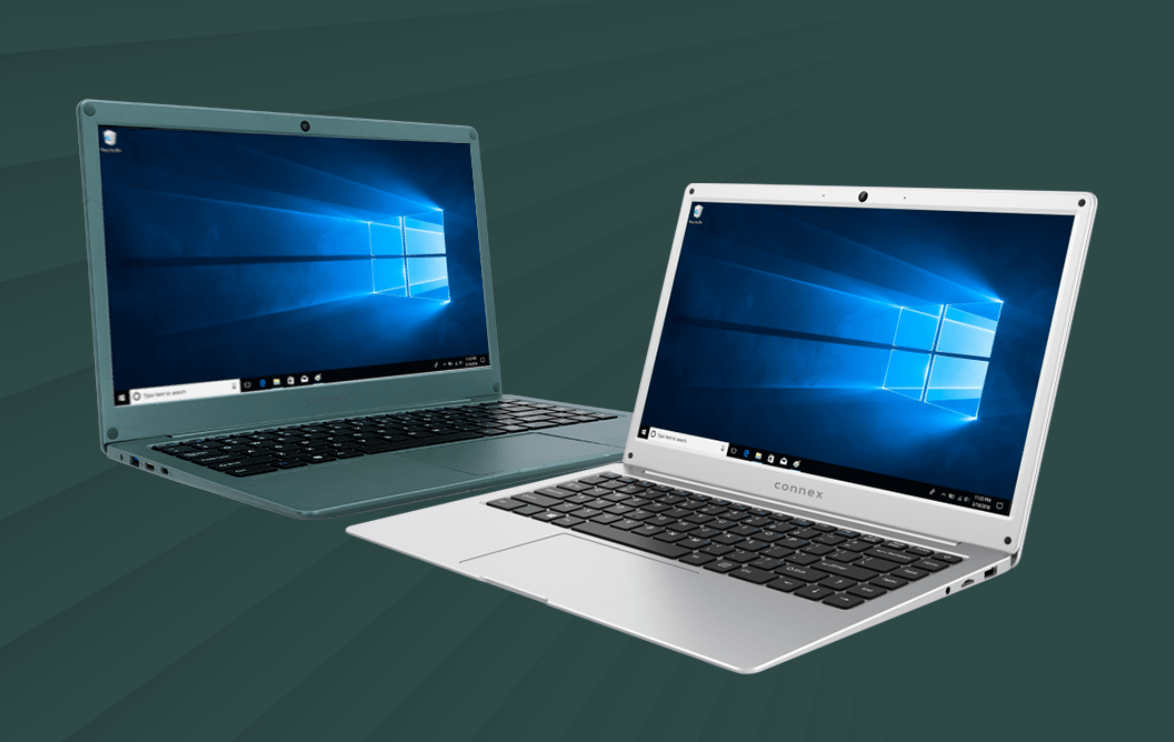
First impressions matter. That’s why Connex laptops are designed to look as good as they perform. With their lightweight build and slim profiles, these laptops are perfect for slipping into your bag and heading out for a busy day.

Imagine you are at your favourite coffee shop, casually pulling out your Connex laptop, and suddenly heads turn. Someone asks, “Is that a Connex?” and you reply with a confident, “Yes, it is.” Boom… instant cool points. 😎

Don’t be fooled by the sleek exterior because these laptops pack a punch where it counts. Whether you’re typing away on a work project, binge-watching the latest series, or editing photos from your weekend adventure, these laptops have the power to keep up.

They have fast processors, solid battery life, and all the essentials for modern living, they are the tech equivalent of a trusty sidekick: always there, always ready, and never letting you down. 🦸‍♂️

Let’s be honest: no one wants to spend hours setting up their laptop or figuring out complicated features. Connex keeps it simple. These laptops are built for everyone, whether you’re a student crushing assignment, a professional handling business, or just someone who loves to surf the web and stay connected.

And the best part is they’re budget friendly. Because why pay more when you can have all the features you need at a price that won’t leave you and your wallet crying? 💸

Who Are Connex Laptops For? Well, the short answer is… everyone!

  • Students: Say goodbye to late-night panics when your laptop doesn’t keep up with deadlines. Connex laptops are reliable and speedy, just like you need them to be.
  • Professionals: Whether it’s a slick presentation or back-to-back virtual meetings, these laptops have got your back (and your front-row seat at that next promotion).
  • Casual Users: Love watching movies or scrolling through social media? Connex laptops deliver crisp visuals and smooth performance for all your chill vibes.

These devices aren’t just about the hardware; it’s about the people who use them. Connex is for dreamers, doers, and everyone in between. By choosing these devices, you’re not just getting a laptop but, you’re joining a family of tech enthusiasts who value simplicity, practicality, and style. (Yes, we mean you, future Connex user!)

🖤💬 What’s your favourite feature in a laptop? Let us know in the comments and join the Connex conversation!

Shequila Adams | Digital Marketer

Mastering Keyboard Shortcuts: Become a Productivity Wizard 🧙‍♂️

When you are busy performing a task, do you ever dreadfully think to yourself: “There must be a faster, more efficient way to get this done.” I am sure that we have all been there at some point, spending precious time click-clicking when all we needed was keyboard shortcuts. Well, great news peeps, we’re about to drop some wisdom and help you become a keyboard shortcut wizard! 🪄✨

1. The Classic: Ctrl + C and Ctrl + V

We must start off with the basics! You guessed it; copying and pasting. It is the very first fundamental skill to learn in the art of shortcut mastery. Need to move text, images, or files? Just hit `Ctrl + C` to copy and `Ctrl + V` to paste. Boom, it’s like magic!

🎩 Bonus tip: Did you know that `Ctrl + X` cuts the text, so you don’t have to go back and delete it afterward? Talk about efficiency!

2. Ctrl + Z: The Instant “Oops!” Fixer

Have you ever made a mistake and wished you could turn back time? Well, `Ctrl + Z` might be your new best keyboard shortcut friend. This short cut will undo your last action, whether it’s deleting a whole paragraph or accidentally sending a half-written email to your boss. No time machines required (or tapping backspace a million times)!

🔄 Pro tip: Keep hitting `Ctrl + Z` to undo multiple steps. It’s like your very own reset button!

3. Alt + Tab: Swiftly Hop Between Apps

If you’re a multitasker (we see you out there with 20 tabs open and music playing in the background… somewhere), `Alt + Tab` is for you. This shortcut lets you hop between open windows without using your mouse. You’ll feel like a pro, effortlessly switching between work and that *ahem* “important” YouTube video you were watching.

💡 Fun fact: You can hold down `Alt` and keep tapping `Tab` to cycle through all your open programs quickly!

4. Ctrl + Shift + T: The Tab Saver

Ever closed a tab on your browser and immediately regretted it? Panic no more! `Ctrl + Shift + T` will reopen the last tab you closed. It’s like pulling off a last-second rescue mission. 🎯

👩‍🚀 Shortcut pro move: Keep pressing this combo, and it’ll keep reopening all your recently closed tabs. You’ll never lose an important cat video again!

5. Windows Key + D: Instant Desktop View

Need to clear all those open windows and get a quick view of your desktop? Hit `Windows Key + D` and boom, all your windows will minimize, revealing your lovely desktop wallpaper (or that cluttered mess of icons). Hit it again, and everything comes back like magic. 💨

🌟 Pro tip: Use this if you want to quickly close that solitaire game you were busy with whenever your boss approaches you 😉

6. Windows Key + L: Lock Your Keyboard Instantly

Need to step away from your desk but don’t want anyone snooping around on your computer? `Windows Key + L` is your go-to! This shortcut locks your screen instantly, protecting your work from prying eyes (and those pranksters that change your wallpaper or rotate when all we needed was keyboard shortcuts. your screen, now having to figure out how to unscramble your desktop). 🔒

7. Windows Key + V: Clipboard History

Do you copy and paste like a champion? Here’s a trick for you! `Windows Key + V` opens up your clipboard history, letting you access the last few things you copied. No more re-copying that link you had from 5 minutes ago! 🗒️

📋 Pro tip: Clipboard history keeps track of your copied items even after you shut down, so you can come back to them later. Extra pro tip: If you must copy and paste multiple things, you can copy them all, then go to where it needs to be pasted one by one and it will all be there in your clipboard ready to be pasted!

 8. Windows Key + . : Your Emoji Shortcut!

Want to express yourself with a little more flair? Just hit `Windows Key + .` and boom! The emoji keyboard appears, and you can add all the 😎🔥🎉 your heart desires. This works for symbols too! So next time words aren’t enough, throw in a little emoji magic.

9. Ctrl + F: The Search Party

This one’s a lifesaver when you’re trying to find something specific in a sea of text – just press `Ctrl + F`, type in what you’re looking for, and voilà! You’ll be taken directly to that word or phrase without having to scroll endlessly.

🔍 Fun fact: You can use this in browsers, documents, and more, any time you’re trying to find a needle in the haystack!

10. Ctrl + Shift + Esc: Task Manager Shortcut

Is your computer acting sluggish, or is a program being uncooperative? Open the Task Manager instantly with `Ctrl + Shift + Esc`. No need to go searching for it in menus, this shortcut is like calling in the tech cavalry! ⚔️

11. Alt + F4: The Ultimate Exit

Need to close a program quickly? `Alt + F4` is your exit strategy! This one shuts down the current window or program you’re using. Just be careful, don’t accidentally use it while you’re working on something important (unless you’re ready to call it a day!).

Wrap Up: Shortcuts = Big Wins

There you have it! With these keyboard shortcuts, you’re not just saving time, but you’re leveling up your productivity game. Who needs a mouse when you’ve got keyboard wizardry on your side? 🧙‍♀️

So, whether you’re working on a Connex laptop or any other device, these shortcuts will keep you flying through tasks like a pro. Give them a try and watch your workday (or gaming sessions!) get a whole lot smoother.

Happy short-cutting! 💡 Is there a shortcut that saves you on the daily that we didn’t mention here? Drop it in the comments and share the magic with everyone!

Shequila Adams | Digital Marketer

Back to Top
Product has been added to your cart